


Lead Capture and Automated Marketing for Service Businesses
In this post, learn how to automate your lead capture pipeline and use marketing tools to better gain and retain clients.
.jpg)
.svg)
Capturing leads is easy. Converting them consistently is not.
For service businesses like carpet cleaning, pressure washing, and window cleaning, the gap between “new lead” and “booked job” is where revenue is won or lost. The businesses that grow are not necessarily generating more leads. They are responding faster, following up more effectively, and automating tasks that previously relied on memory and manual effort.
Lead capture and automated marketing are no longer separate strategies. They are one connected system. When built correctly, they shorten response times, reduce dropped opportunities, and turn first-time inquiries into repeat customers without adding administrative work.
This guide breaks down how modern lead capture works for field service businesses and how automated marketing systems help you convert more leads with less effort.

What Lead Capture Means for Service Businesses Today
Lead capture is the process of collecting contact and job information from potential customers when they express interest. That moment matters more than ever.
Customers expect instant confirmation, fast replies, and relevant follow-up. If they do not hear back quickly, they move on. Often, to the next company on the list.
Modern lead capture is not just about collecting a name and an email address. It is about capturing intent, context, and timing, then acting on it automatically.
Effective lead capture systems:
- Collect accurate contact and job details
- Route leads into a centralized CRM
- Trigger immediate follow-up
- Track every interaction from first contact to completed job
This is where automation becomes essential.
Lead Capture vs Lead Nurturing. Why the Difference Matters
Lead capture and lead nurturing are often used interchangeably. They are not the same thing.
Lead capture is the entry point.
Lead nurturing is everything that happens next.
If your business captures leads but does not follow up consistently, you are leaking revenue. If you follow up manually, growth eventually stalls.
Automation connects these two stages, so leads never sit idle.
Best Practices for Field Service Lead Capture
Use Multi-Channel Lead Capture
Customers no longer contact businesses in a single way. They reach out through:
- Website contact forms
- Request-a-quote forms
- Click-to-call and click-to-text
- Social media messages
- Mobile lead entry by office staff or technicians
Every one of these touchpoints must feed into the same system. Fragmented lead sources create missed follow-ups and duplicate work.
Centralizing all leads into a single CRM allows your team to respond faster and track performance accurately.
Capture Leads While Interest Is High
Speed matters. Studies consistently show that responding within minutes dramatically improves close rates.
Automated confirmation messages reassure the customer immediately while your team prepares the next steps. Even a simple “We received your request and will follow up shortly” builds trust.
Collect the Right Information Upfront
The goal is not long forms. It is useful forms.
Effective lead capture forms balance ease of use with sufficient detail to qualify the job. That might include:
- Service type
- Property type
- Location
- Preferred contact method
- Urgency
Better data upfront leads to faster estimates and fewer back-and-forth conversations.

How to Automate Lead Follow-Up
Automation ensures every lead receives timely, consistent communication without relying on manual reminders.
Many carpet cleaners lose jobs not because of pricing or demand, but because online leads go unanswered or follow-up is inconsistent. We break down the most common causes and how to fix them in Why Carpet Cleaners Lose Leads Online (and How to Fix It with ServiceMonster Growth).
Immediate Automated Responses
The first response should happen instantly. Automated emails or texts confirm receipt and set expectations.
This reassures the customer and prevents them from continuing to shop simply because they think they were ignored.
Drip Campaigns for Unconverted Leads
Not every lead books immediately. Automated drip campaigns allow you to stay in front of prospects with helpful reminders, service education, and timely prompts.
Examples include:
- Follow-up reminders for unbooked estimates
- Seasonal service promotions
- Educational messages explaining your process
These campaigns run quietly in the background and often convert leads days or weeks later.
Personalized Follow-Up at Scale
Automation does not mean generic messaging.
Modern marketing automation uses customer data to tailor messages based on:
- Service requested
- Location
- Job status
- Past interactions
Personalized follow-up increases trust and response rates without requiring manual effort from your team.
CRM Lead Capture and Pipeline Visibility
A CRM is the backbone of effective lead capture and automation.
When leads are automatically logged into a CRM, your business gains visibility into:
- Where each lead came from
- Whether a follow-up occurred
- How long leads take to convert
- Which channels produce the best customers
This data allows you to make smarter marketing decisions and improve close rates over time.
ServiceMonster provides CRM-based lead capture that integrates forms, mobile entry, and automated marketing into a single workflow. Leads move from capture to follow-up to scheduling without manual handoffs.
Marketing Automation for Service Businesses in Action
Carpet Cleaning Businesses
A homeowner submits an online request for carpet cleaning. The system:
- Captures the lead
- Sends an immediate confirmation
- Triggers a follow-up sequence if the job is not scheduled
- Moves the lead into the pipeline for tracking
No calls are missed. No leads are forgotten.
Pressure Washing Companies
Seasonal demand fluctuates. Automated campaigns re-engage past leads and customers when demand spikes, filling schedules without expensive ads.
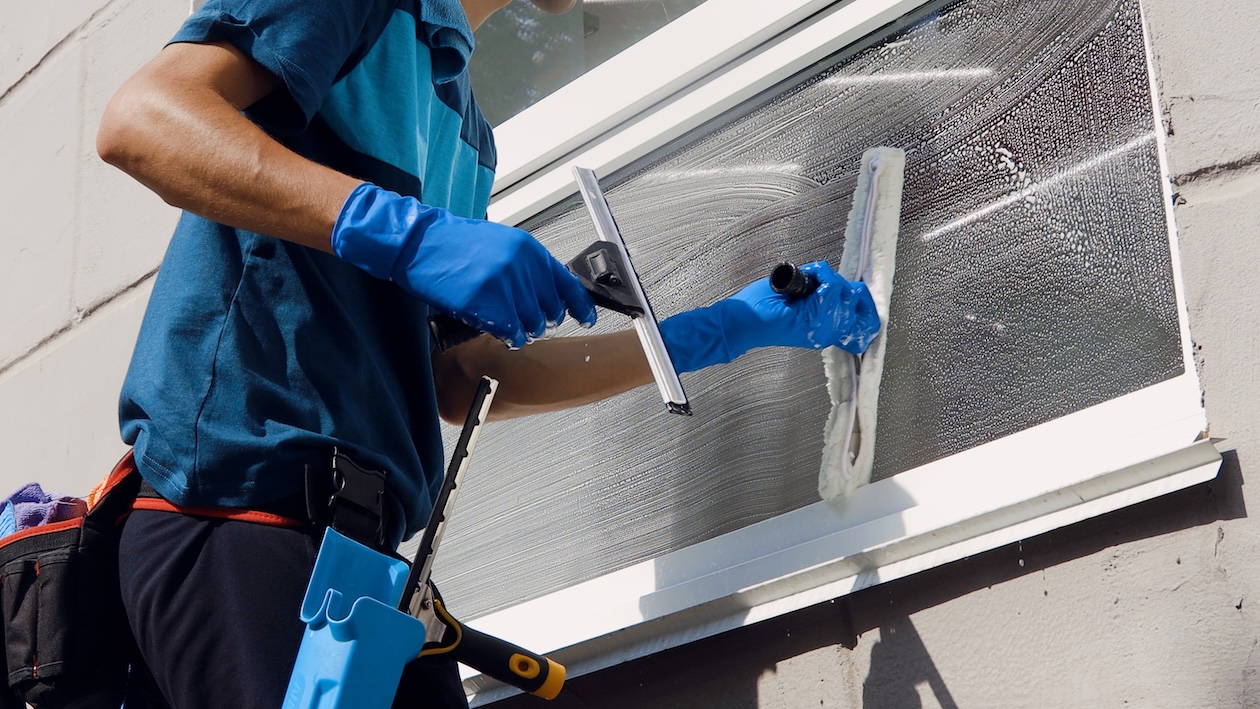
Window Cleaning Companies
Recurring services benefit from automated reminders and follow-ups that turn one-time jobs into repeat customers.
Lead Capture Forms That Convert More Service Leads
A lead capture form is often the first meaningful interaction a potential customer has with your business. If that experience feels slow, confusing, or impersonal, conversion rates suffer.
High-performing service businesses design lead capture forms around speed, clarity, and relevance. The goal is not to collect every possible detail. The goal is to remove friction so customers complete the form and feel confident they will hear back quickly.
Effective lead capture forms for service businesses:
- Ask only for the information needed to respond or estimate
- Clearly explain what happens after submission
- Trigger immediate confirmation messages
- Route leads directly into your CRM for follow-up
When lead capture forms connect directly to automation, they stop being static web elements and become active sales tools.
Lead Capture Page vs Landing Page: What Service Businesses Should Use
Many service businesses confuse a lead capture page with a landing page. While the two are related, they serve different purposes.
A lead capture page focuses on a single action. Submitting a form, requesting an estimate, or scheduling a service. It removes distractions and pushes visitors toward conversion.
A landing page may educate, build trust, and explain services in more detail before directing users to a lead form.
For field service lead generation, the strongest approach often combines both. Educational landing pages that funnel visitors to focused lead capture pages convert better than generic contact pages.
ServiceMonster supports this workflow by capturing leads from forms and routing them directly into the CRM, where automated follow-up ensures no inquiry goes unanswered.
How Lead Capture Software Improves Sales Speed
Lead capture software is not just about collecting inquiries. It directly impacts how fast your sales process moves.
Without lead capture software:
- Leads sit in inboxes
- Follow-ups are delayed
- Sales conversations lose momentum
With lead capture software:
- Leads enter a centralized pipeline
- Automated responses go out instantly
- Sales teams know exactly who needs follow-up
Speed is one of the most significant competitive advantages in service sales. The faster your system responds, the more likely you are to win the job.
ServiceMonster provides lead capture software built specifically for service businesses, integrating forms, pipelines, and automated marketing into one workflow.
Using Lead Generation Forms to Qualify Jobs Automatically
Not all leads are equal. Lead generation forms help qualify jobs before your team ever picks up the phone.
By structuring forms around service type, urgency, and location, businesses can:
- Prioritize high-value jobs
- Route leads to the right team member
- Reduce wasted follow-up time
This is especially valuable for businesses handling high lead volume during peak seasons. Automation ensures your team focuses on the most profitable opportunities first.
Capture Software That Connects Marketing and Operations
Capture software should never operate in isolation. When lead capture is disconnected from scheduling, estimating, and marketing, valuable context is lost.
Modern capture software connects:
- Lead forms
- CRM records
- Automated campaigns
- Sales pipelines
This connection allows marketing activity to support operational efficiency rather than create extra work.
When a lead submits a form, automation can:
- Send confirmations
- Trigger follow-up campaigns
- Assign pipeline stages
- Alert staff for manual outreach when needed
That is customer acquisition automation working as intended.
Lead Forms That Support Long-Term Sales Growth
A lead form should not only capture a single job. It should support long-term sales growth.
When forms are submitted to your CRM, every inquiry becomes part of your customer database. That data fuels:
- Seasonal campaigns
- Repeat service reminders
- Referral and upsell opportunities
Lead forms become the foundation of ongoing marketing, not just one-off conversions.
Step-by-Step Lead Capture Workflow for Service Businesses
A simple, effective lead capture workflow follows a straightforward step process:
Step 1: Customer submits a lead capture form
The form collects service details and contact information.
Step 2: Automated confirmation is sent
Email or SMS confirms receipt and sets expectations.
Step 3: Lead enters the CRM pipeline
The lead is tracked from first contact through booking.
Step 4: Follow-up automation begins
Drip campaigns engage unconverted leads automatically.
Step 5: Sales or scheduling team takes action
Human follow-up happens at the right moment, with full context.
This step-based workflow ensures no leads fall through the cracks and no sales opportunities rely on memory.
Why Sales Teams Rely on Automation, Not Reminders
Sales follow-up should never depend on sticky notes, inbox flags, or mental reminders. Automation creates consistency.
When follow-up automation runs in the background:
- Every lead gets attention
- Sales activity becomes measurable
- Conversion rates improve predictably
This is why marketing automation is no longer optional for service businesses that want stable growth.
Measuring Success With Automated Lead Capture
Automation also improves accountability.
Track key metrics such as:
- Lead response time
- Conversion rate
- Source performance
- Follow-up completion
When you know where leads come from and how they convert, you can confidently invest in what works.
Common Mistakes to Avoid
- Capturing leads without automated follow-up
- Using disconnected tools that do not sync
- Relying on memory instead of systems
- Treating automation as optional instead of foundational
These mistakes cost more than software ever will.
Software That Turns Lead Capture Into Revenue
Software should not just store leads. It should actively help convert them.
When lead capture software integrates with marketing automation, CRM pipelines, and communication tools, it becomes a revenue engine rather than a database.
That is the difference between collecting leads and building a scalable sales system.
Turn Lead Capture Into a Competitive Advantage
Lead capture is no longer just about collecting names and phone numbers. It is about building a connected system that responds instantly, follows up automatically, and gives you complete visibility into every opportunity that comes through the door.
With ServiceMonster, lead capture does not live in isolation. Leads flow directly into your CRM, trigger automated email and SMS follow-ups, move through a clear sales pipeline, and stay connected to your scheduling and customer records. Nothing gets lost. Nothing relies on memory. Every inquiry has a clear next step.
Instead of chasing leads, your team can focus on closing deals and delivering outstanding service, while automation handles confirmations, reminders, and follow-ups behind the scenes.
If you are ready to stop leaking leads and start turning inquiries into booked jobs, explore ServiceMonster’s automated marketing and campaign tools. Or request a demo to see how lead capture, follow-up automation, and CRM workflows work together in one system built specifically for service businesses.
Quietly powerful software. Loud results.
FAQ: Lead Capture and Automation for Service Businesses
How do I automate lead follow-ups?
Use a CRM with built-in marketing automation that triggers email and SMS messages based on lead activity and status.
What is the best way to capture leads for a carpet cleaning business?
Use website forms connected directly to your CRM, combined with automated confirmations and follow-up campaigns.
Does ServiceMonster support email and SMS campaigns?
Yes. ServiceMonster supports automated email and SMS marketing campaigns designed specifically for service businesses.
Is marketing automation only for large companies?
No. Automation benefits small and growing service businesses the most by reducing manual workload and improving response times.

Recommended posts

Online Payment Options for Your Exterior Cleaning Business


How a Bootstrapped Seasonal Gig Grew into a Thriving Multi-Service Cleaning Business: Pete Happy of ProShine Part 1
.png)
How to take a stress-free vacation as a business owner
.svg)


.svg)
.svg)
.svg)
.svg)