


How to Handle Last-Minute Cancellations in Your Carpet Cleaning Business (And Automate It with Software)
Last-minute cancellations can wreck your schedule, drain your revenue, and frustrate your team. When a client cancels an appointment the morning of, or worse, doesn’t show up at all, it creates downtime you can’t recover.


.svg)
Last-minute cancellations can wreck your schedule, drain your revenue, and frustrate your team. When a client cancels an appointment the morning of, or worse, doesn’t show up at all, it creates downtime you can’t recover.
But these costly gaps aren’t inevitable. With clear policies, automated reminders, and the right carpet cleaning software, you can dramatically cut no-shows and turn schedule chaos into predictable, profitable days.
The Real Cost of Cancellations
Every missed appointment costs more than just one cleaning job. You lose the labor hours, travel time, and opportunity to serve another paying client.
Here’s what many carpet cleaning businesses experience when cancellations pile up:
- Lost revenue: Even two missed jobs per week can add up to thousands of dollars per year.
- Inefficient routing: When jobs fall off your calendar at the last minute, your techs waste drive time and fuel.
- Staff frustration: Gaps in the day lead to lower morale and unpredictable income for commission-based employees.
- Customer churn: Without consistent communication, even your loyal clients might forget about scheduled cleanings or find another provider.
Running a smooth operation means tackling these problems head-on, not just reacting when they happen.
Common Reasons Clients Cancel Last Minute
If last-minute cancellations are hurting your sales funnel, it’s worth reviewing why carpet cleaners lose leads online and how better communication can help retain more customers. Understanding why cancellations happen is the first step to preventing them.
- Lack of reminders: Many clients simply forget.
- Vague policies: If your cancellation terms aren’t clear, customers may not realize they’re expected to notify you in advance.
- Poor communication: Clients can’t easily reach you to reschedule or confirm.
- Unexpected conflicts: Life happens — illness, work emergencies, or weather.
- No confirmation process: Without a quick “Yes, I’m still on!” reminder, clients may assume they can cancel without issue.
While not every situation is avoidable, automation and communication can significantly reduce the number of surprise gaps on your calendar.
Step 1: Create a Clear Cancellation Policy
Start with transparency. A solid cancellation policy sets expectations before the job is even booked.
Include it in your quotes, confirmations, and invoices so clients know what to expect. A good rule of thumb:
“We require at least 24 hours’ notice for cancellations. Missed appointments or same-day cancellations may be subject to a $50 fee.”
Keep it professional, not punitive. The goal is to encourage respect for your time, not alienate customers.
Make sure your policy is visible:
- On your website’s booking form
- In your email confirmations
- On printed or texted receipts
When clients are reminded of your policy at every step, they’re less likely to cancel casually.
Step 2: Automate Reminders and Confirmations
Manual reminder calls take time, and when you’re busy running a carpet cleaning business, they’re often the first thing that slips. That’s where automation pays off.
With ServiceMonster’s carpet cleaning software, you can automatically send appointment confirmations and reminders by email or text message at customizable intervals, for example, 48 hours and again 24 hours before a job.
Automated reminders help:
- Reduce no-shows by keeping your business top of mind
- Give customers an easy way to confirm or reschedule
- Cut down on staff time spent making phone calls
The system lets you log confirmations so you’ll have records when reviewing no-shows.

Step 3: Use Standby Lists or “Backup Jobs” to Fill Gaps
Even with strong systems, cancellations will happen occasionally. The best carpet-cleaning companies prepare for that with a standby list: customers who’ve requested flexible scheduling or are waiting for an opening.
ServiceMonster’s drag-and-drop scheduling software makes it easy to fill last-minute openings. When a cancellation comes in, you can:
- Instantly view nearby jobs
- Identify customers who’ve requested “next available” slots
- Drag the standby job into the open time window
No need to shuffle paper calendars or call every client individually. This simple workflow can turn an empty afternoon into a fully booked day — and your customers will appreciate the earlier availability.
Step 4: Track Repeat Offenders
A single cancellation isn’t a big deal. But when the same customer repeatedly cancels or reschedules, it drains your team.
With ServiceMonster’s built-in CRM tagging, you can flag clients who frequently cancel or reschedule. This gives your office staff visibility into patterns and lets you make informed decisions about how to handle those customers going forward.
For example:
- Require prepayment or deposits for chronic cancellers
- Schedule them for lower-demand time slots
- Prioritize reliable repeat customers during busy seasons
Having data at your fingertips turns frustration into strategy.
Step 5: Communicate with Empathy and Professionalism
Sustainable, customer-first business practices, like those in eco-friendly carpet-cleaning services, build long-term client loyalty and reduce cancellations.
When a client cancels, your response matters. While it’s easy to be frustrated, staying professional builds trust and may save the relationship.
Here’s a simple, effective message to send after a cancellation:
“Hi [Name], we understand that plans change. We’d love to get you back on the schedule soon, here’s a link to our next available openings.”
This keeps communication positive and opens the door to rebooking, rather than letting the relationship fade.
Automation helps here, too. ServiceMonster’s automated email templates let you trigger messages for cancellations or missed appointments, reducing manual follow-up while maintaining a professional tone.
Step 6: Evaluate Your Metrics
Reducing cancellations isn’t a one-time fix. Track your results to see if your policies and automations are working.
Inside your ServiceMonster dashboard, you can view:
- No-show and cancellation rates over time
- Customer response rates to reminders
- Revenue lost vs. recovered from standby jobs
These insights help you adjust reminder timing, update your policies, and identify where communication gaps still exist.
How ServiceMonster Simplifies Cancellation Management
When your business runs on software built for carpet cleaners, you don’t just manage cancellations, you prevent them.
Here’s how ServiceMonster helps you keep your schedule full:
- Automated appointment reminders via text and email
- Drag-and-drop rescheduling to fill last-minute gaps
- Waitlist management for “next available” clients
- CRM tracking to flag repeat cancellers
- Mobile access supports real-time scheduling so your team can view changes
Each feature is designed to save you time, protect your revenue, and deliver a seamless customer experience.
For more details, explore how ServiceMonster’s carpet-cleaning software can streamline scheduling and reduce costly no-shows.
Frequently Asked Questions
How do I handle last-minute cancellations in my carpet cleaning business?
Start with a clear cancellation policy that sets expectations upfront. Use carpet cleaning software like ServiceMonster to send automated reminders, confirmations, and follow-ups. Having a standby client list ready also helps fill sudden gaps in your schedule.
What should I include in a cleaning service cancellation policy template?
Your cancellation policy template should outline the required notice (usually 24–48 hours), any fees for same-day cancellations or no-shows, and how clients can reschedule. Add this policy to your quotes, booking confirmations, and website for maximum visibility.
Should carpet cleaning businesses charge cancellation fees?
Yes, a modest cancellation fee (such as $25–$50) is common practice for last-minute cancellations or no-shows. It protects your time and helps customers take bookings seriously. Software automation ensures these fees are clearly communicated before the service day.
How can I prevent cancellations and no-shows before they happen?
The best business practice is proactive communication. Automated text or email reminders, consistent follow-up, and online scheduling tools all help reduce missed appointments. A friendly reminder 24 hours before the cleaning often prevents most last-minute cancellations.
Do automated reminders really reduce cancellations for cleaning customers?
Absolutely. Most cancellations happen simply because customers forget. Automated appointment reminders sent through scheduling software keep your cleaning service top of mind and make it easy for customers to confirm or reschedule without calling in.

Recommended posts
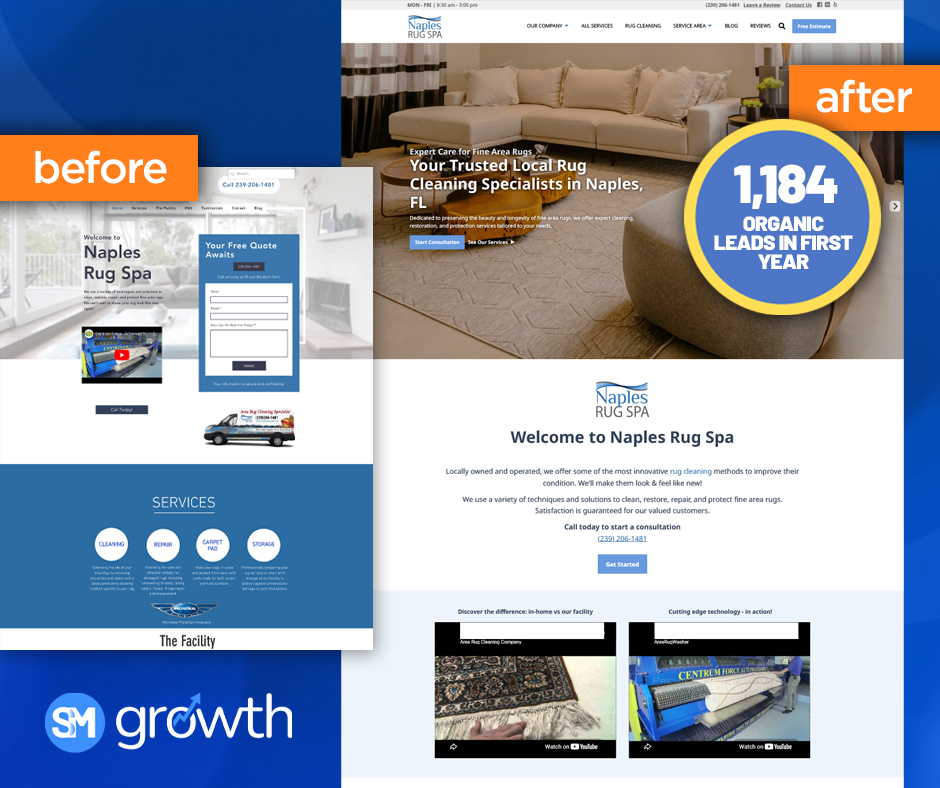
What High Performing ServiceMonster Growth Websites have in Common


Why Carpet Cleaning Businesses Lose Customers (And How to Fix It)

The Hidden Cost of Running Your Cleaning Business Across Too Many Apps
.svg)


.svg)
.svg)
.svg)
.svg)